Sizing Your Real-Time Amibroker Database
By Dave Mabe
Several traders replied to yesterday's success story about Mike and his blazing-fast real-time Amibroker database.
Mike sized his database with fewer bars than other traders might use, and there's a good reason for that.
How do you know how many bars are enough for your real-time database?
The answer is simple.
There should be just enough bars to calculate the "longest term" filter across all your strategies.
For example, let's say you run the Cruncher on your strategy and find this suggestion based on the Change from 10 Day SMA MabeKit column that you decide to apply:
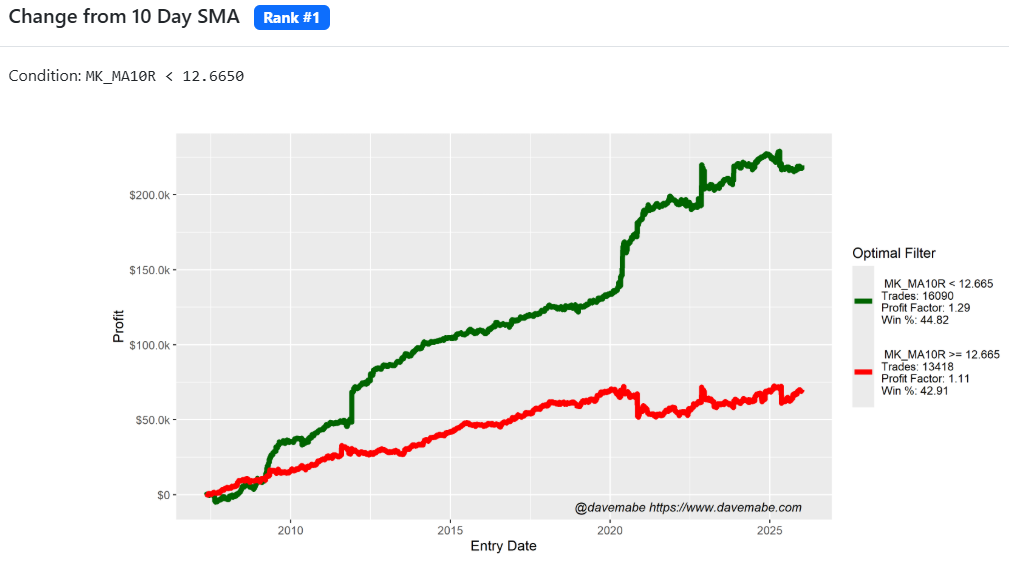
If this were the longest filter across your strategy, then you would need as many bars as required to have 10 days in your database per symbol.
But remember, plenty of symbols trade in the pre- and post-market, so you'll need to account for that.
There can be up to 960 one-minute bars (i.e., the number of minutes between the pre-market open of 4am and the post-market close of 8pm).
So you'll need at least 960 * 10 days = 9600 bars to calculate that filter properly.
If there aren't enough bars to calculate, filter values will appear as blanks, so it will be easy to spot if you need to include more bars.
Speaking of database sizes, it's important to note that although Amibroker allows you to change the database size after it's been created, you shouldn't!
Always create a new database if you need to change the number of bars.
Stay tuned for more on this topic soon.
-Dave
P.S. Have you ever made an order entry mistake that cost you money? Imagine never making a costly mistake again. Eliminate your trading mistakes with MabeKit.
"The MabeKit Trade Client was a game-changer for my trading."